
The average lifespan of a smartphone is around three years, sometimes four for certain Apple models. However, this figure hides major technical disparities between the components that fail first and those that last much longer. Measuring these gaps allows for targeting the interventions that really matter to extend the life of a mobile phone.
European Directive 2024/1799: What the Right to Repair Changes for Smartphones
Since July 31, 2026, the European Directive (EU) 2024/1799 on the right to repair requires smartphone manufacturers to offer repairs at a reasonable price and within a reasonable timeframe, even after the end of the legal warranty. This regulatory framework changes the game for anyone hesitating between replacing or repairing their device.
The directive also prohibits, unless for legitimate and objective reasons, contractual and technical clauses (material or software) that prevent repair. A manufacturer can no longer block the installation of an unofficial battery on models covered by European repairability requirements through software.
Independent repairers now have access to technical documentation, schematics, and diagnostic tools on non-discriminatory pricing terms. In practice, a local workshop can work on your smartphone with the same information as an authorized center. To find suitable parts and repair services for your mobile, specialized platforms exist like https://www.mobilejunky.fr/ which lists components and accessories for many models.
The most notable point for consumers: choosing repair over replacement during the legal warranty period entitles you to a minimum 12-month extension of the warranty. A direct financial advantage that makes repair more attractive than purchasing a new device.
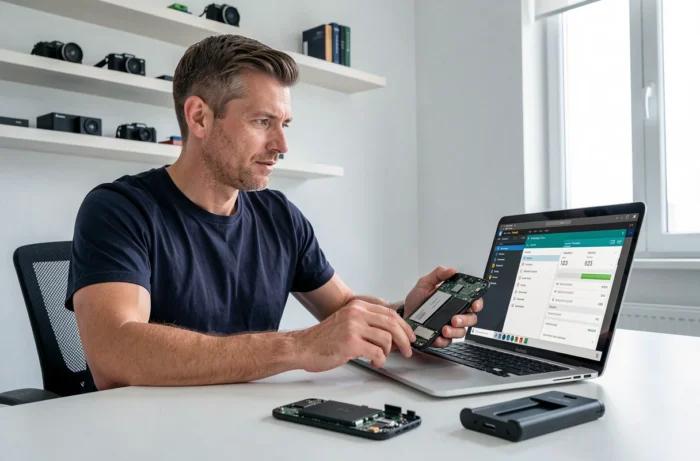
Battery, Screen, Software Components: Breakdown of Failures and Their Repairability
Not all components of a smartphone age at the same rate. The table below compares the most frequent failures, their impact on the device’s lifespan, and the ease of repair since the directive came into effect.
| Component | Typical Sign of Wear | Average Time of Appearance | Repairability (post-directive) |
|---|---|---|---|
| Battery | Reduced autonomy, frequent charging | 18 to 24 months | High: most replaced part, easy access |
| Screen | Cracks, faulty touch | Variable (drop, shock) | Medium: cost of the panel remains significant |
| Charging Connector | Intermittent charging, false contacts | 24 to 36 months | High: common intervention |
| Operating System | Slowdowns, app crashes | As soon as updates stop | Limited: depends on manufacturer’s policy |
| Internal Memory | Saturated storage, slowness | Variable depending on usage | Not repairable: software cleaning only |
The battery stands out as the most critical component. Its degradation is gradual but inevitable, and it is also the easiest and least expensive repair. On the other hand, software issues related to the manufacturer’s stopping updates remain the most difficult factor to circumvent.
Optimizing Your Smartphone’s Battery: Practices That Have a Measurable Effect
Many tips circulate on battery management. Some have a real impact, while others are myths.
- Keeping the charge between 20% and 80% reduces chemical stress on lithium-ion cells and slows down capacity loss over the long term.
- Avoid leaving the phone plugged in all night: most modern smartphones stop charging at 100%, but repeated micro-cycles of charging between 99% and 100% unnecessarily stress the battery.
- Limit exposure to heat, especially charging in direct sunlight or under a thick case that retains heat. High temperatures accelerate the chemical degradation of the battery much more than the number of cycles.
- Prefer small charges throughout the day rather than a single full charge from 0 to 100%.
Conversely, the type of charger (wired or wireless) has a marginal impact on battery longevity if the charging power remains within the manufacturer’s specifications.
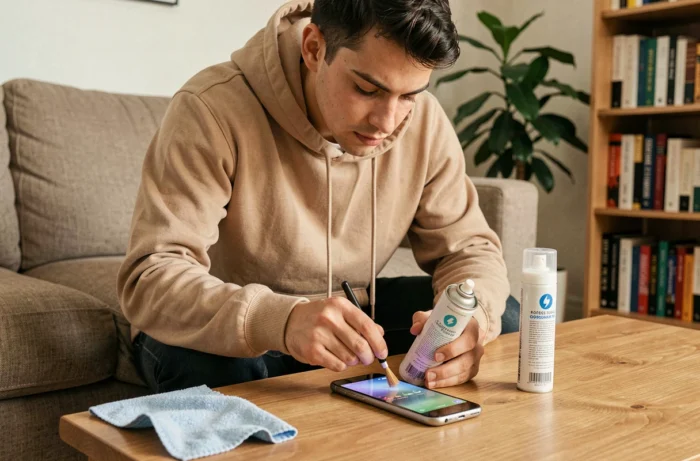
Physical Protection and Software Management: Two Complementary Levers
Screen breakage remains the leading cause of premature smartphone replacement. A case suited to the model and a tempered glass screen protector represent a minimal investment compared to the cost of a panel replacement.
On the software side, internal memory saturation degrades performance long before hardware obsolescence. Deleting unused applications, regularly clearing the cache, and transferring photos to external or cloud storage frees up system resources.
Resource-Intensive Applications: Identifying the Heavyweights
The built-in battery settings in both Android and iOS allow you to identify the applications that consume the most in the background. Disabling unnecessary notifications and limiting background refresh for rarely used applications has a direct effect on daily battery life and, by extension, on the number of charge cycles.
The European energy label, now displayed on new smartphones, includes information on annual energy consumption, the degree of repairability, battery longevity (total number of charge cycles), and drop resistance. This data allows for comparing models before purchase based on objective durability criteria.
Refurbished or Repair: Decision Based on Smartphone Age
When a smartphone shows signs of weakness, two options arise: have it repaired or buy a refurbished model. The decision mainly depends on the age of the device and the type of failure.
A phone less than three years old with a tired battery or a faulty connector is better off being repaired. The cost of the intervention remains significantly lower than that of a replacement, and the directive 2024/1799 guarantees access to spare parts for five to ten years depending on the components.
Beyond three to four years, if the manufacturer has stopped system updates, the device becomes vulnerable to security flaws. In this case, a recent refurbished smartphone offers a better cost-to-personal data protection ratio.
The decisive criterion remains the manufacturer’s software support. A device whose components work but no longer receives security patches poses a risk that hardware repair does not resolve. Checking the update policy before any decision avoids repairing a smartphone that will be exposed a few months later.